A closer look
This is a ticketing system demo you can read in two minutes, with a screenshot for every step. Three roles keep things simple: reporters raise and follow their own tickets, agents work the queue, and admins manage accounts and settings. Here is what each of them sees.
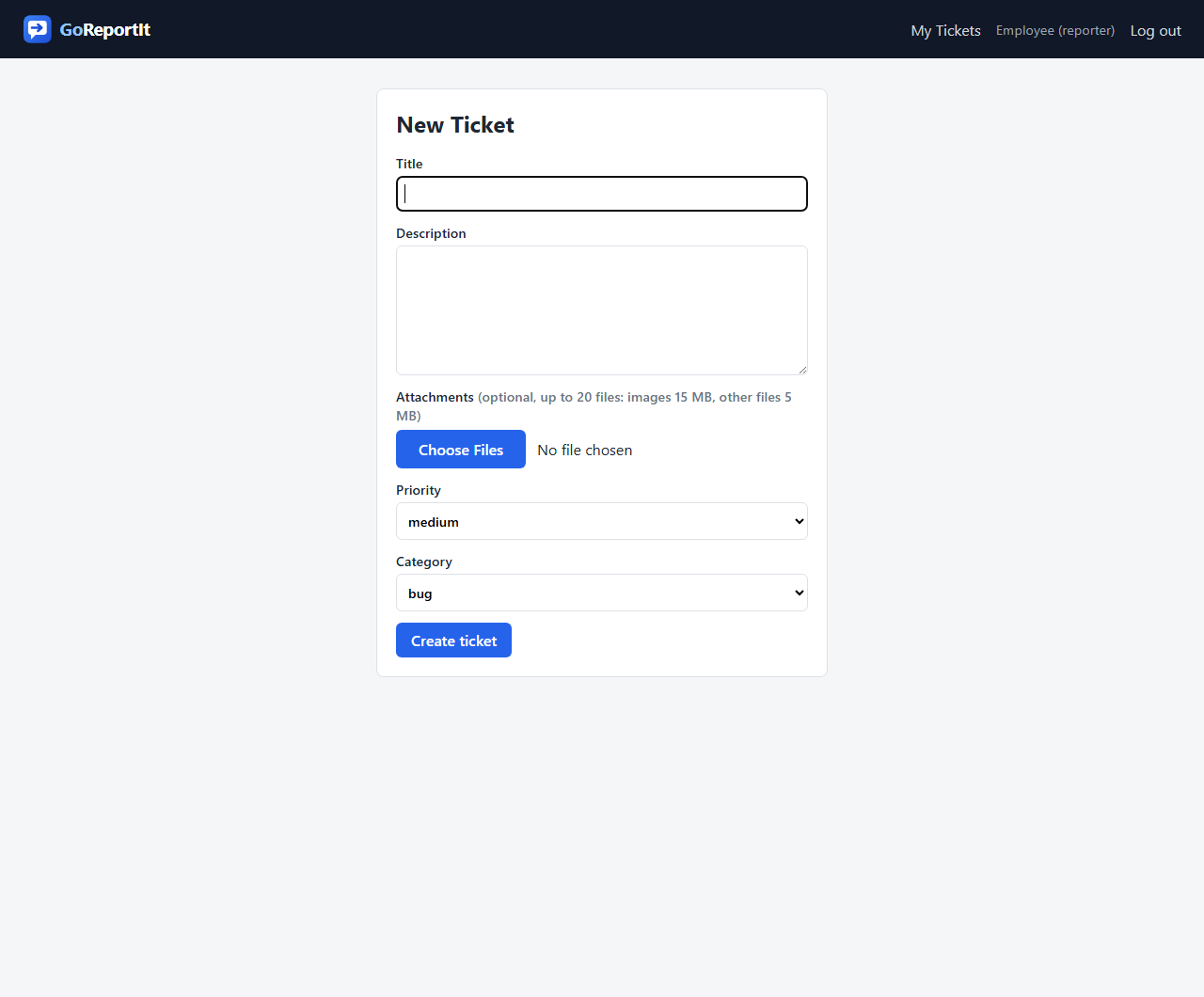
Report an issue in seconds
Give the issue a title, describe what happened, and say how urgent it feels. Pick a category so it reaches the right people, and attach screenshots, photos or log files if they help tell the story. That is all it takes; the ticket is in the queue the moment you press the button.
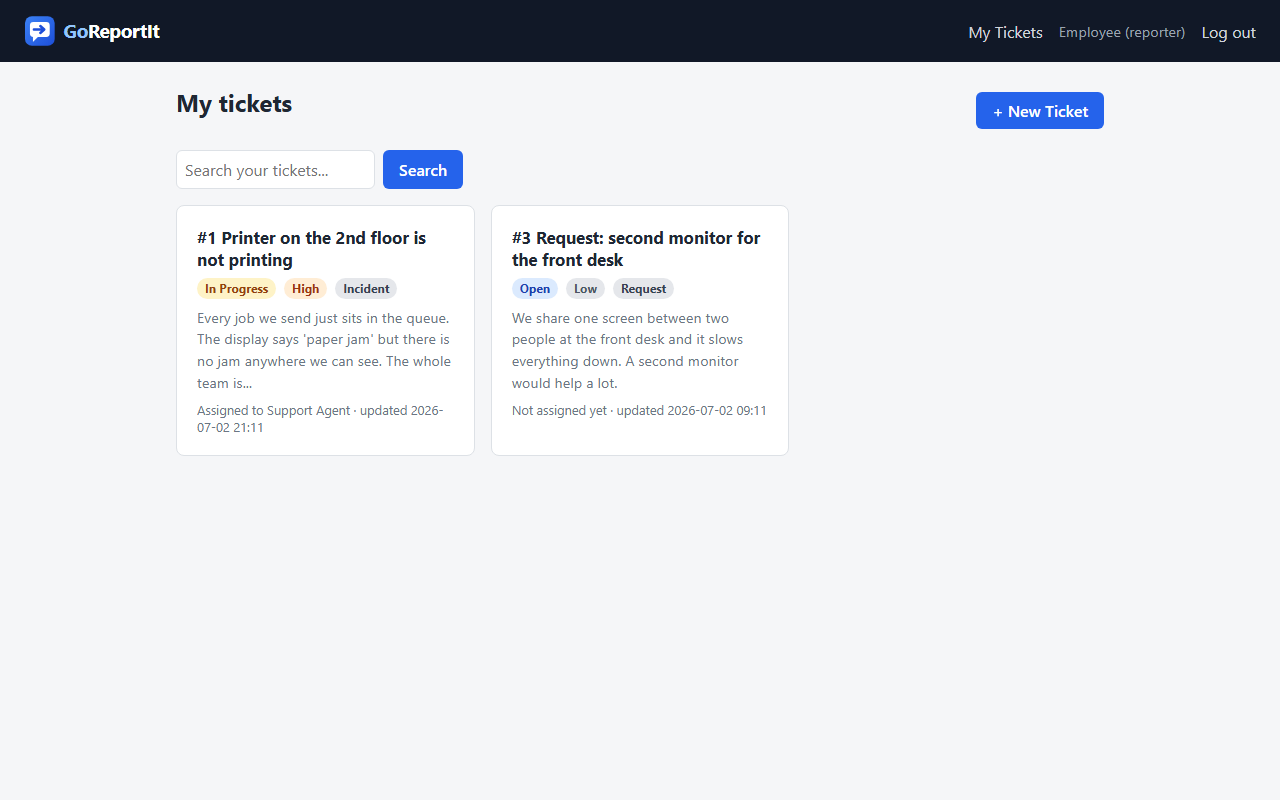
Follow your tickets without chasing anyone
Everyone gets a personal "My tickets" page showing everything they have raised, with status and priority color-coded at a glance. See who is working on your issue, read replies, and search back through older tickets. When the status changes or someone replies, an email lands in your inbox automatically.
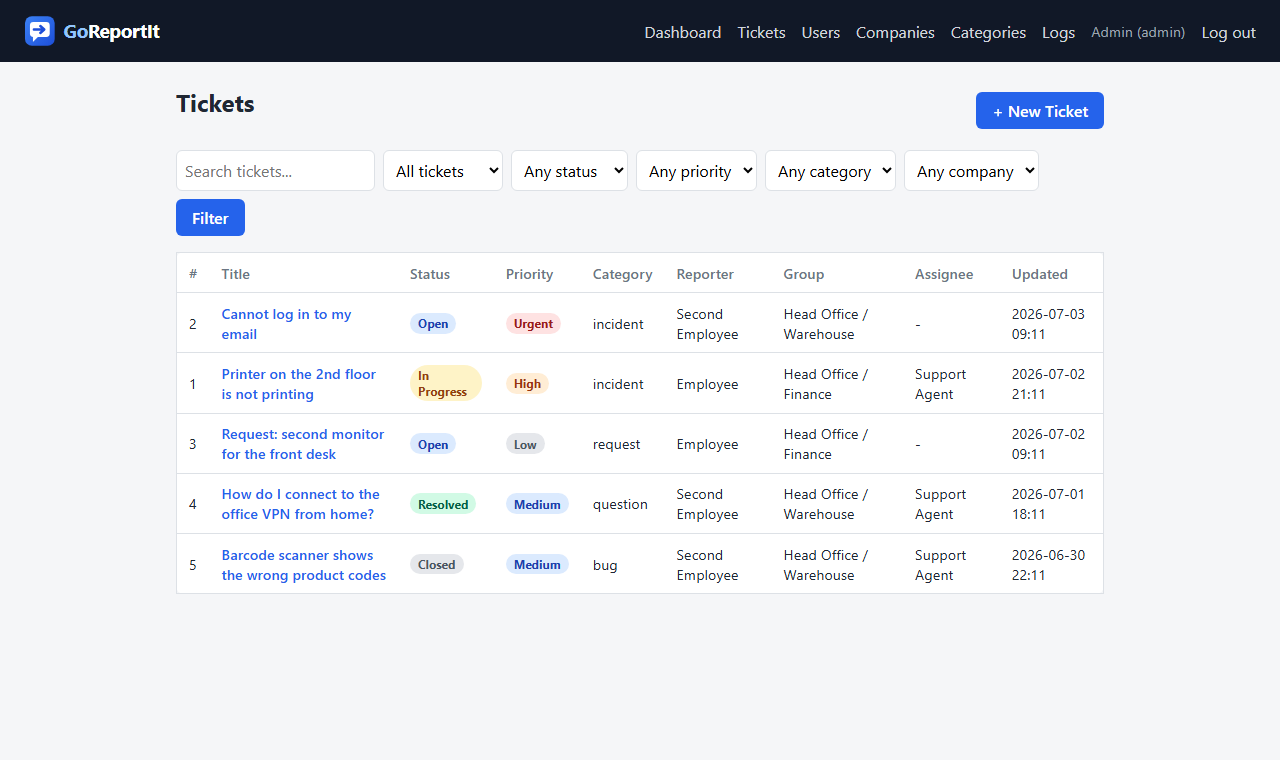
One queue for the whole team
Support staff work from a single queue holding every ticket, each with a simple per-workspace number so it is easy to reference. Filter by status, priority, category or company, jump straight to "my tickets" or "unassigned", or search by keyword. Color-coded badges make the urgent work impossible to miss, and new high-priority tickets also trigger an immediate email alert to the team.
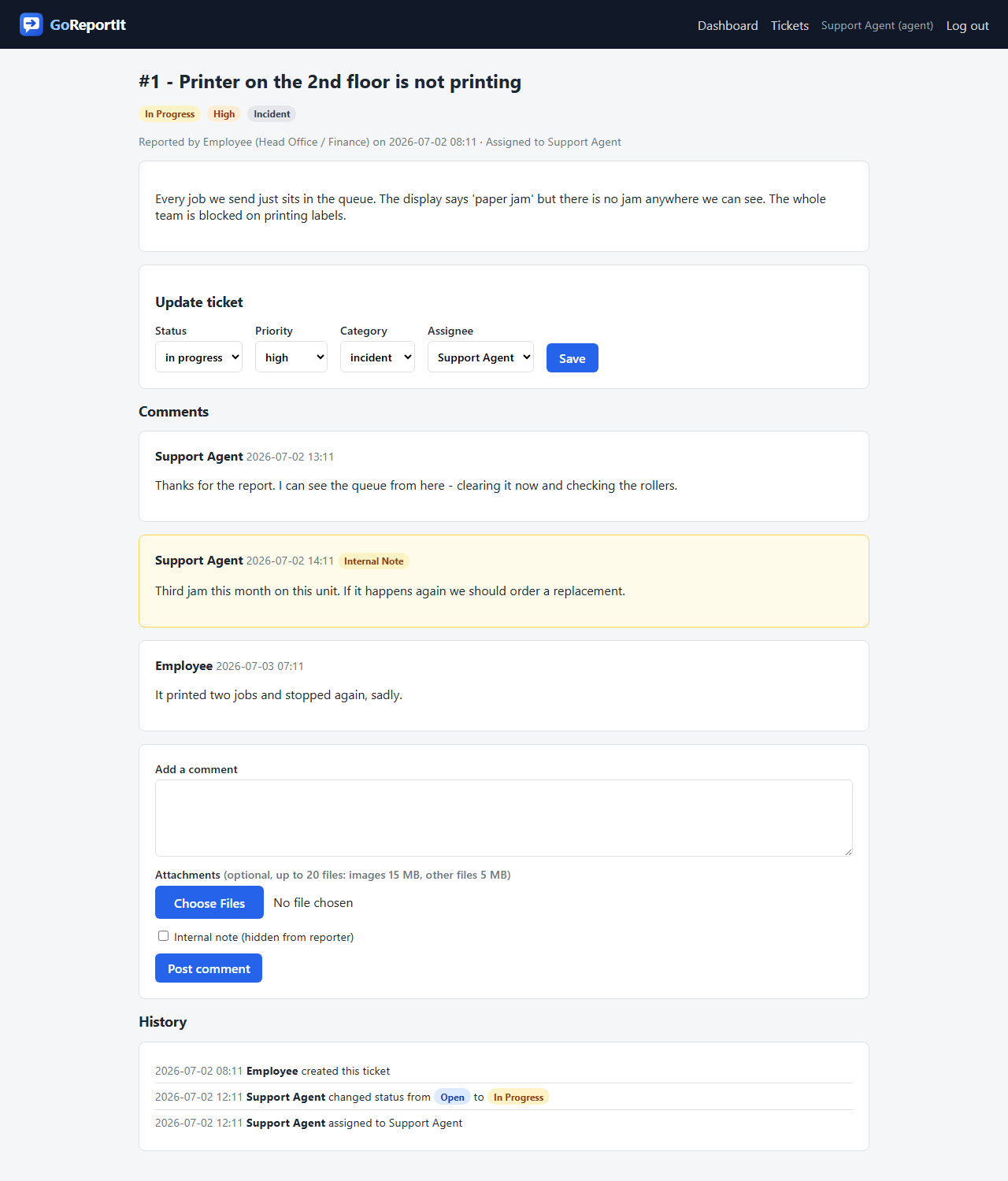
Work the ticket, together
Everything about an issue lives on one page: the conversation with the reporter, attachments, and one-click updates to status, priority, category and assignee. Internal notes stay between staff; the reporter never sees them. A full history records every change, who made it, and when.
Know where you stand
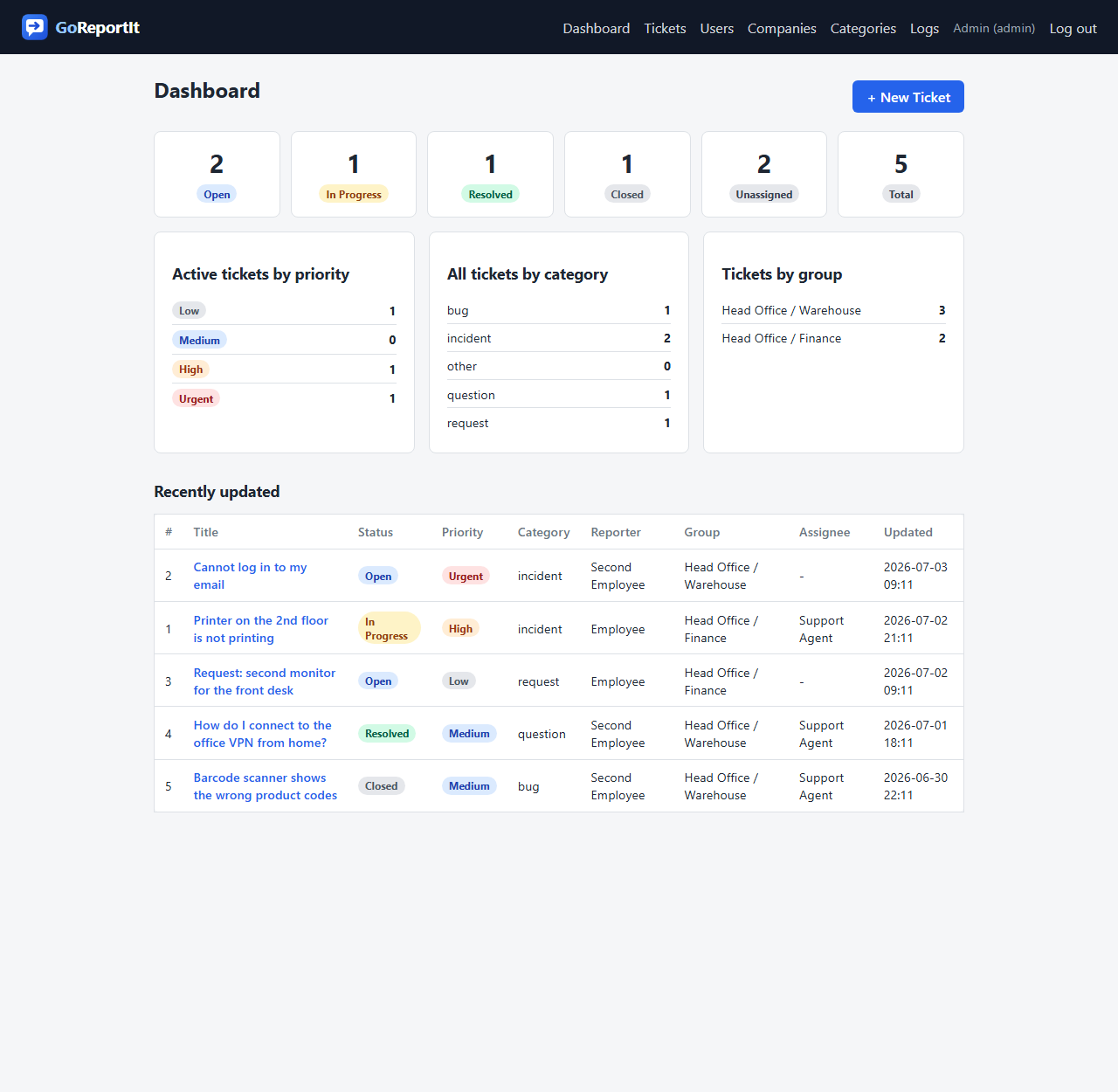
The dashboard gives staff a live overview: open and resolved counts, active tickets by priority, volume by category, and which parts of the organization report the most. Unassigned work is called out so nothing slips through the cracks, and a daily morning brief email summarizes the last 24 hours.
Administration without the manual
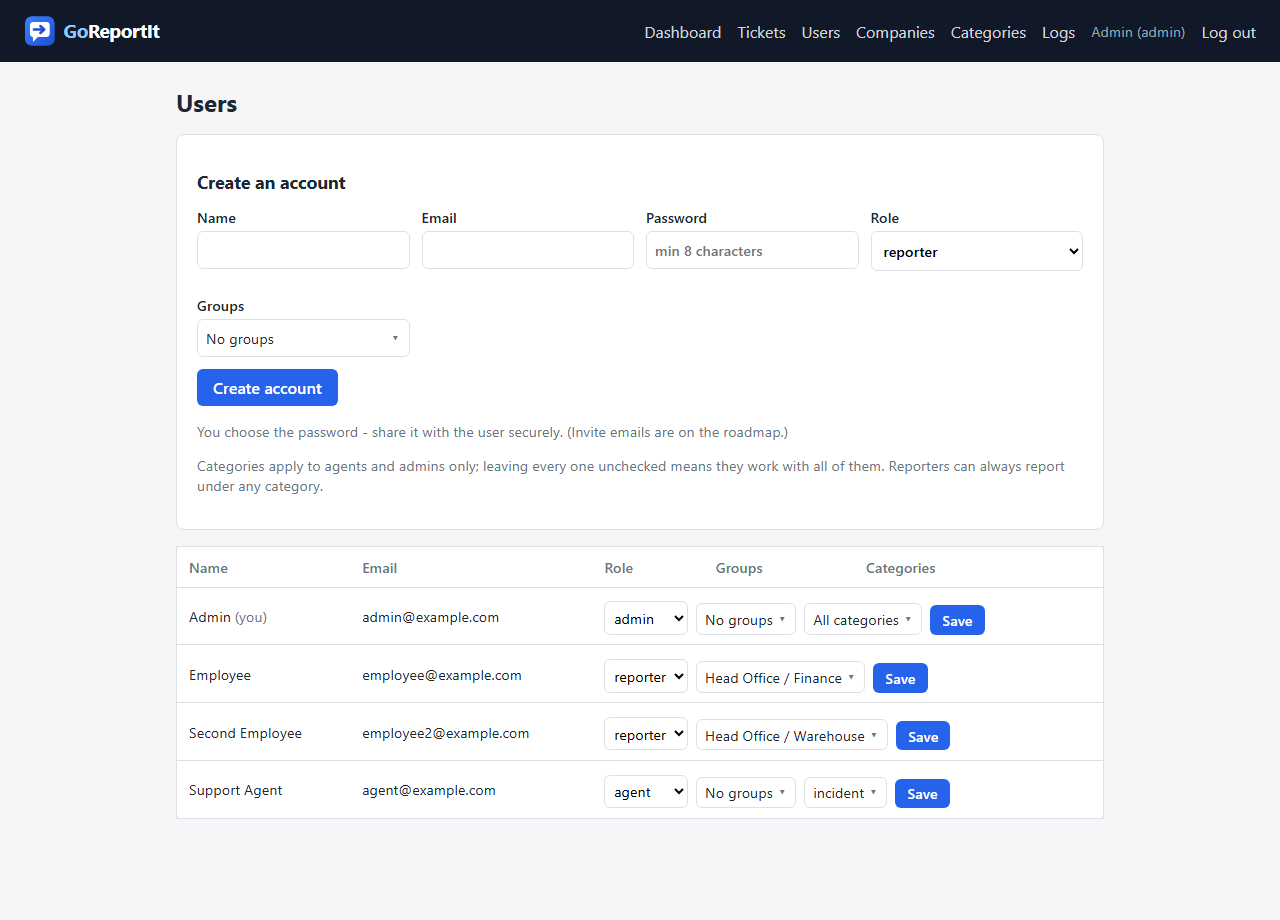
Admins run everything from a few simple pages: create accounts and set roles, organize people into companies and groups, and shape the ticket categories around your business. Agents can be focused on specific categories. Every ticket deletion is recorded in a permanent log.
Cover urgent work around the clock
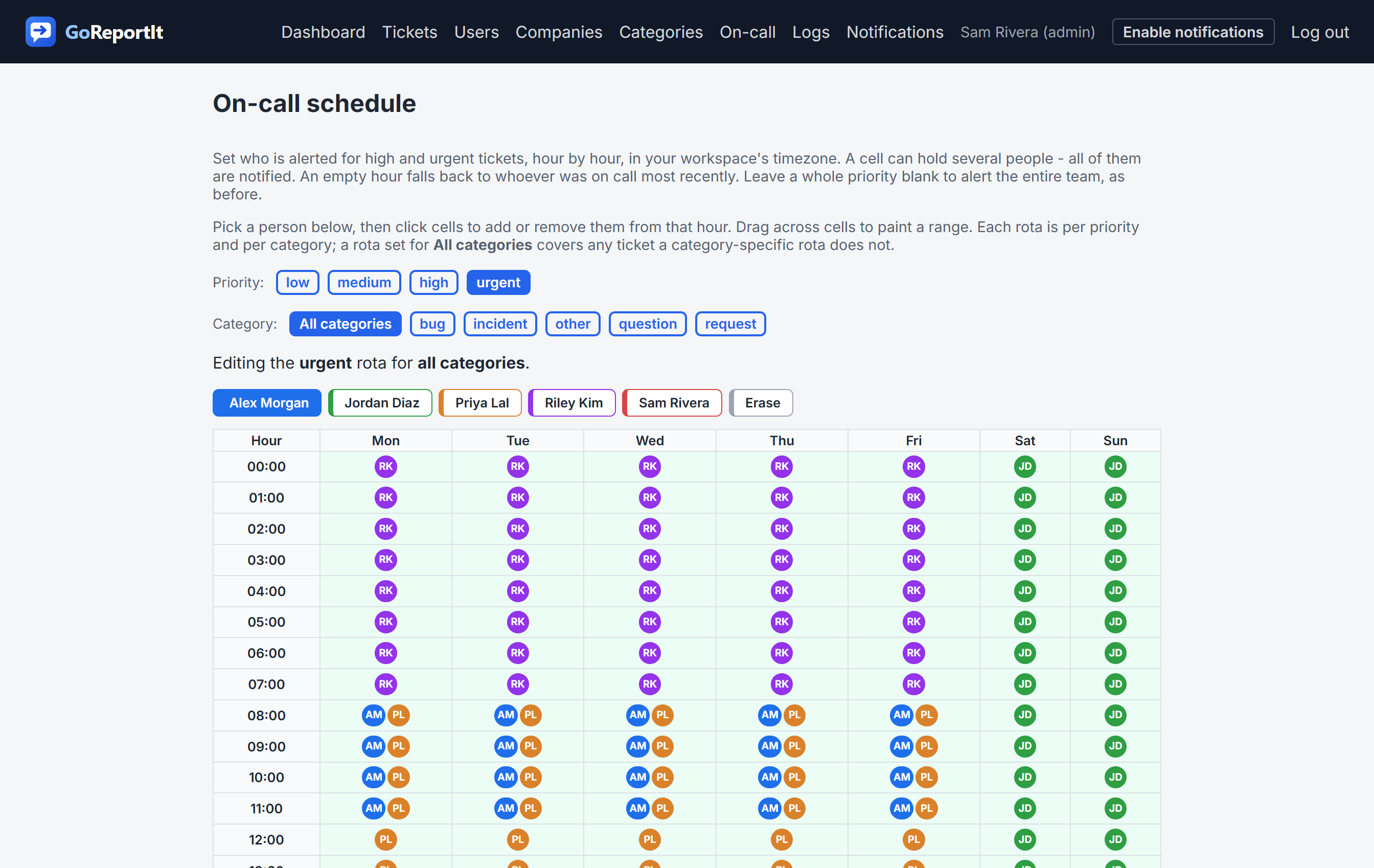
Build a weekly on-call schedule so urgent tickets reach whoever is on duty, hour by hour, in your workspace's timezone, not the whole team at 3am. Put different people on call for different priorities, scope a rota to a category, and add more than one person to the same hours when you want backup. An empty hour falls back to whoever was on call last, so an alert is never dropped.
Notifications that reach you anywhere
No one has to sit refreshing a page. The moment a ticket is assigned, changes status, gets a reply, or a new high-priority issue comes in, the right people get an email and an instant push notification on their phone or desktop. Add GoReportIt to your home screen and urgent work arrives like any other app alert, even with the browser closed.
Notified exactly how you want
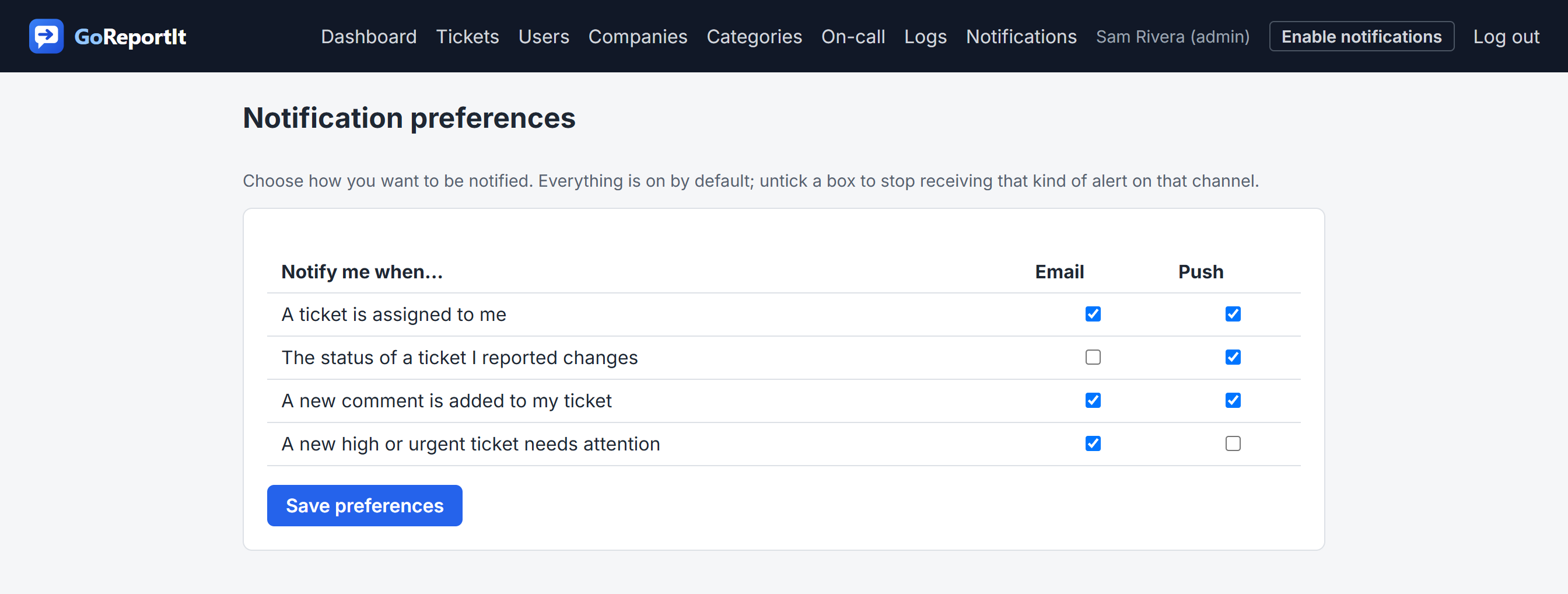
Nobody likes noise. Each person decides which events they hear about and on which channel, so you can keep the urgent push alerts and mute the routine emails, or the other way around. Every notification email also carries a one-click unsubscribe, and you can change your mind any time.
Frequently asked questions
How do people report an issue?
Reporters raise a ticket in seconds from a simple form and then follow its status in their own portal, without needing to understand the queue.
What roles are there?
Three, which keeps it simple: reporters raise and follow tickets, agents work the shared queue and resolve them, and admins also run the workspace and its users.
Do I need to install anything?
No. GoReportIt runs in any modern browser and can be added to a phone home screen as an app, with push notifications, so there is nothing to install.