Report it. Track it. Fix it.
GoReportIt is a simple ticketing system for teams and multi-location businesses. Your people report issues, your team triages and resolves them in one shared queue, and everyone can see where things stand.
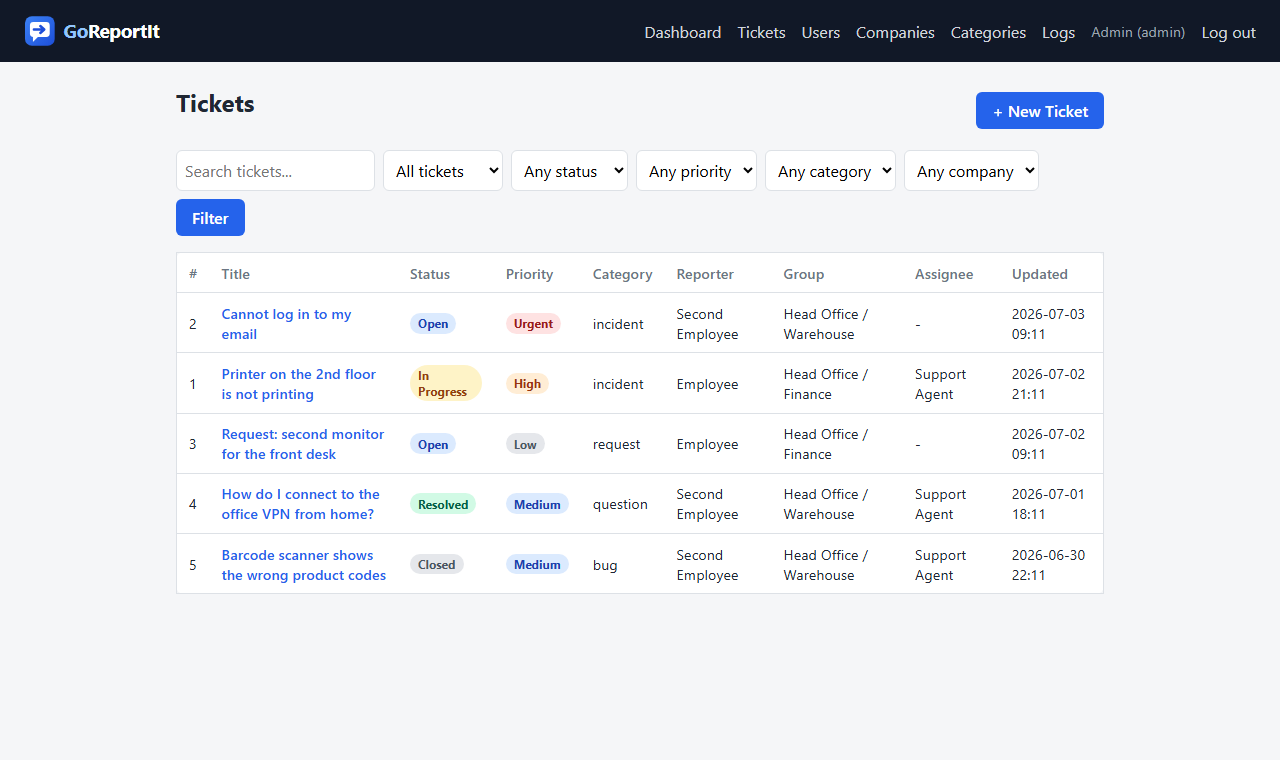
Everything a support queue needs, nothing it doesn't
The essentials your team actually uses, kept clean and fast.
One queue, zero chaos
Every issue lands in a single queue with status, priority and category. Filter by what matters and get to work.
Clear ownership
Assign every ticket to an agent. "My tickets" and "unassigned" views mean nothing slips through.
Notifications that reach you
Instant email and push the moment a ticket is assigned, changes status or gets a reply. Even with the browser closed.
How it works
- 1Set upYour admin creates companies, groups and accounts.
- 2ReportAnyone logs in and files an issue in seconds.
- 3ResolveAgents triage, assign, discuss and close.
- 4Stay informedEmail and push reach the right people instantly.
Who it is for
Help desk software for teams where many people report issues and a few people fix them.
Multi-location businesses
Stores, branches and franchise sites report issues to one central team instead of a group chat.
Restaurants
Kitchen and front-of-house staff report a broken fridge or a dead till from their phone, with a photo.
IT teams
An internal IT help desk the whole company can use, without paying for every employee.
Running several sites? See how issue reporting across multiple locations works, or how kitchens handle restaurant maintenance requests mid-service. Coming from a bigger tool? Compare with Zendesk and Zoho Desk.
One plan, and reporting is free
7-day free trial. Card required, nothing charged until it ends. Cancel any time.
- Unlimited reporters, always free - your whole company can raise tickets
- Unlimited tickets, comments and attachments
- Email and push notifications, with per-person preferences
- 24/7 on-call rotation by priority and category
- Companies, groups, roles and category-based access
- Dashboard, audit trail and a permanent deletion log
Ready to get organized?
Spin up your workspace and clear the backlog.