Every repair request in one place
No more chasing problems across phone calls, WhatsApp, Viber and email. Tenants report with a photo, you assign it to your maintenance person, and everyone sees the status until it is fixed. One tidy queue for every building you run, with a full repair history behind it.
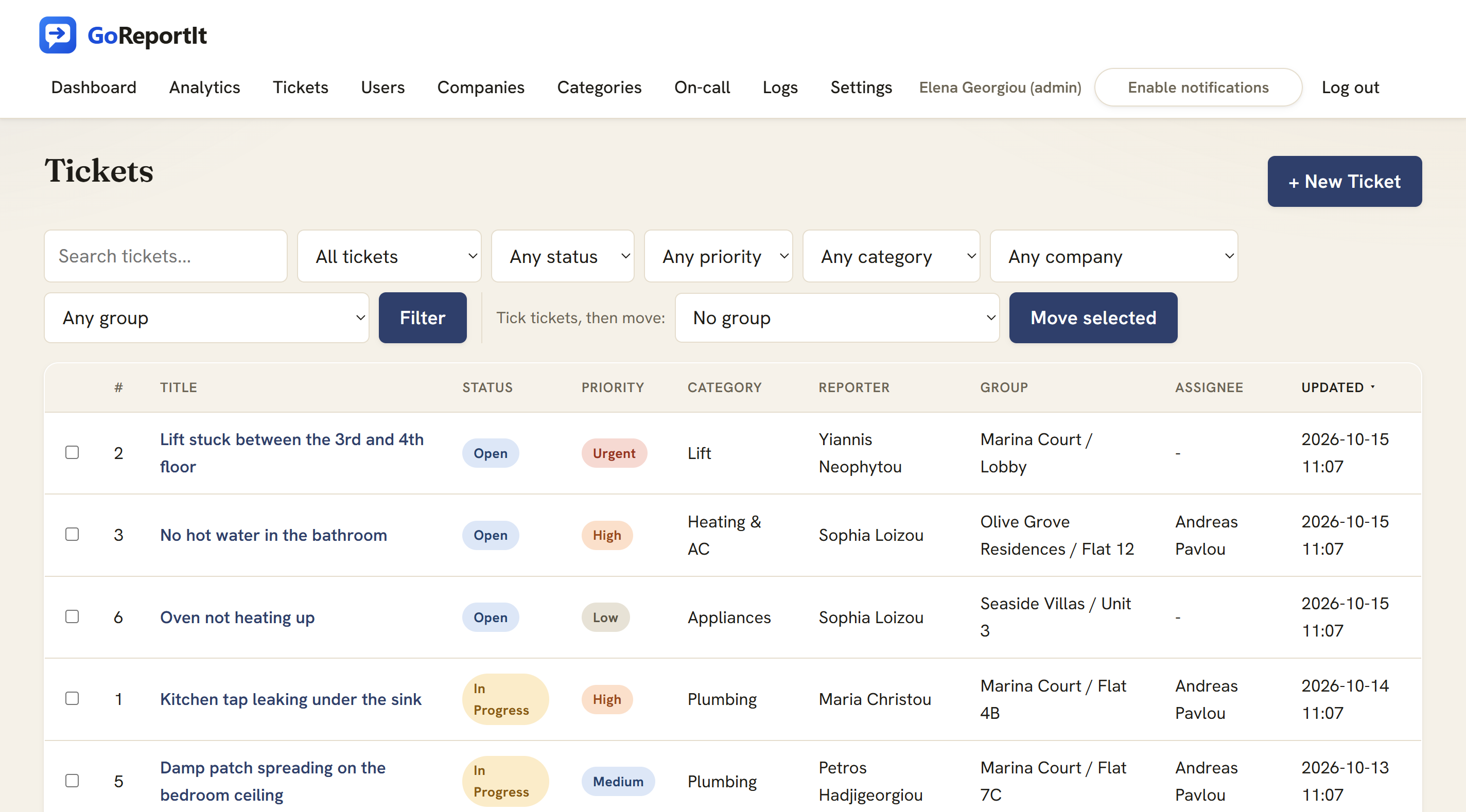
What managing repairs looks like now
Requests arrive on every channel, and the busier you are, the more slips.
Requests come in everywhere
A phone call during the day, a Viber message at night, an email you read on the move. There is no single place they all land.
Things get forgotten
A leak mentioned in passing is gone by the end of the week. Nothing tells you what is still open or who was meant to handle it.
Tenants keep chasing
Because they cannot see any progress, they call again and again just to ask whether anything is happening.
No record of what was fixed
When the same boiler fails a third time, or a tenant disputes a repair, there is nothing written down to point to.
The same repair, before and after
Same leak, same handyman. The difference is where it all lives.
Scattered across every channel
Lift stuck between 3 and 4 again
Viber · 07:48Any news on my leaking tap??
WhatsApp · 21:13Missed call (2)
PhoneBoiler making a noise, can someone come?
Email · unreadFront gate won't lock again
SMS · 23:02Any update?? it has been a week
Messenger · seenOne clear path, every time
- 1Tenant reports itFrom their phone, with a photo
- 2It lands in one queueTagged to its building and unit
- 3You assign itTo your handyman, with a priority
- 4It gets fixedStatus visible to the tenant throughout
- 5Closed with a noteOn what was done, kept on record
How it works, in three steps
- 1The tenant reports itFrom their phone, with a photo of the problem and which unit it is in.
- 2You assign itSend it to your maintenance person or contractor, and set how urgent it is.
- 3It gets fixedThe tenant follows the status the whole way, and the repair is logged against the unit.
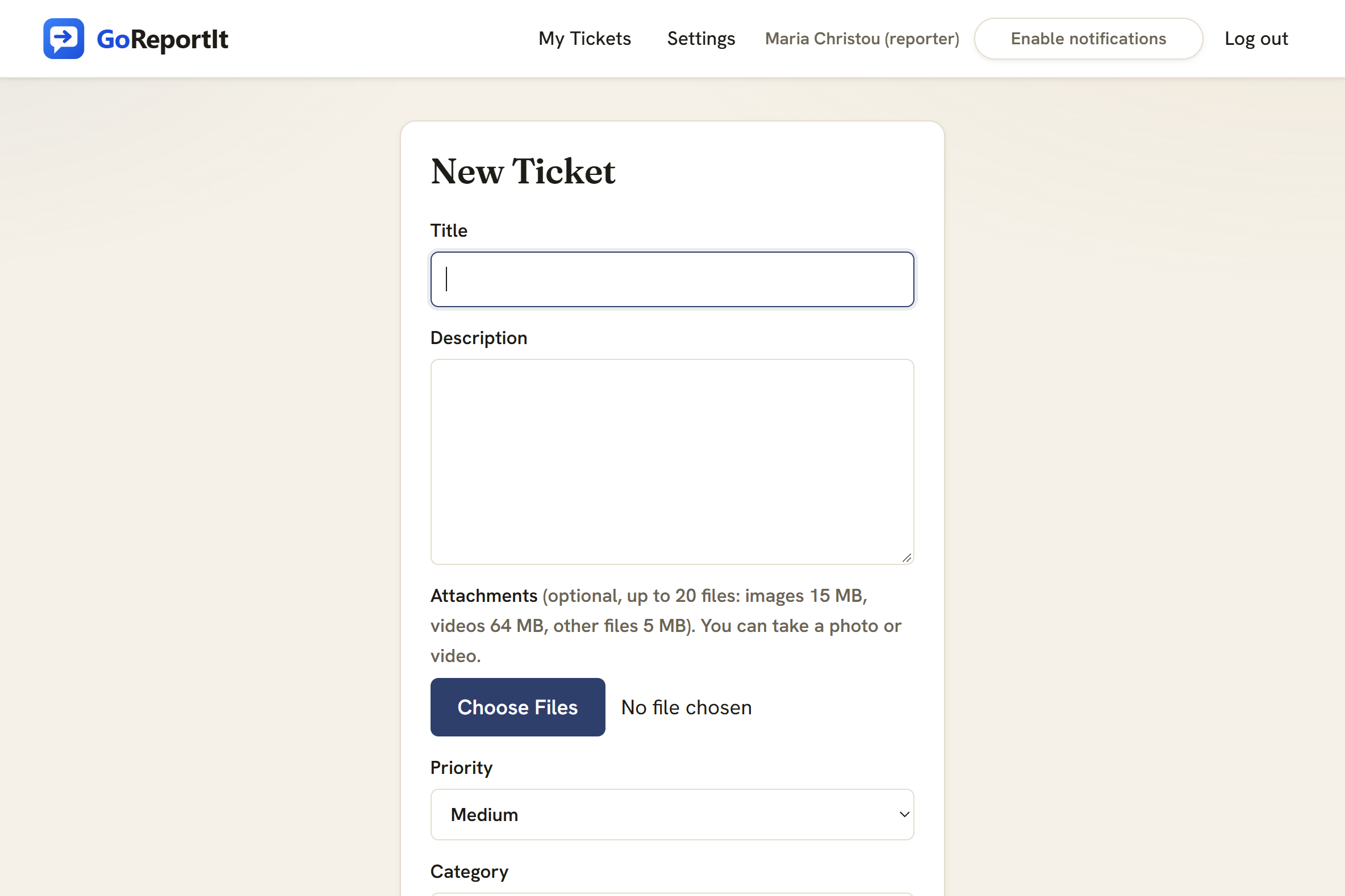
Tenants report in under a minute, with a photo
A tenant opens the link in their phone browser, says what is wrong and which unit it is in, and attaches a photo of the broken tap or the damp wall. Your handyman arrives already knowing what to bring. Nothing to install from an app store.
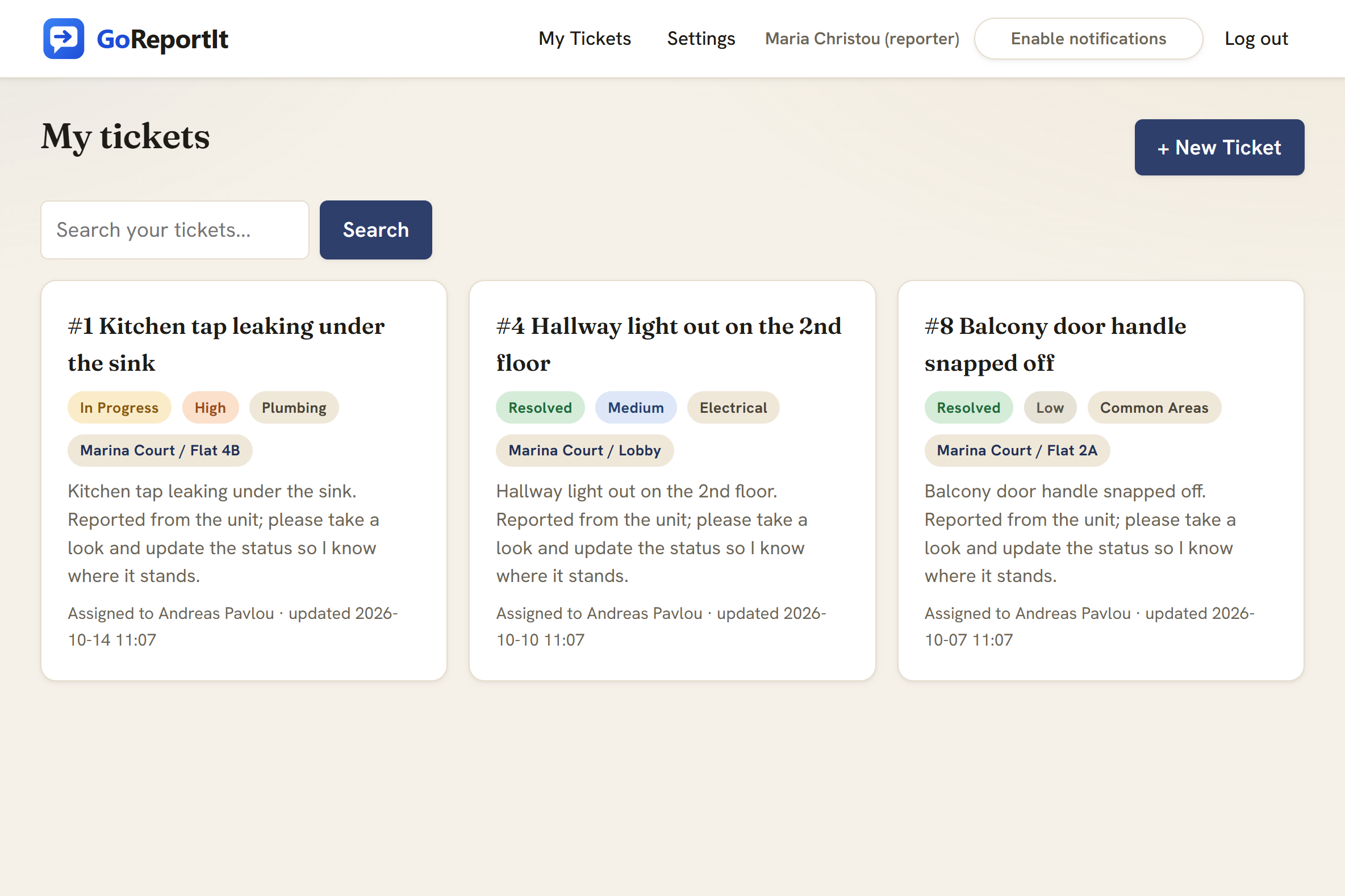
Tenants follow the status without calling you
Every tenant gets their own page showing what they reported and where it stands, updated as the repair moves along. They can see progress for themselves, so the chasing calls stop. They only ever see their own requests, never anyone else's.
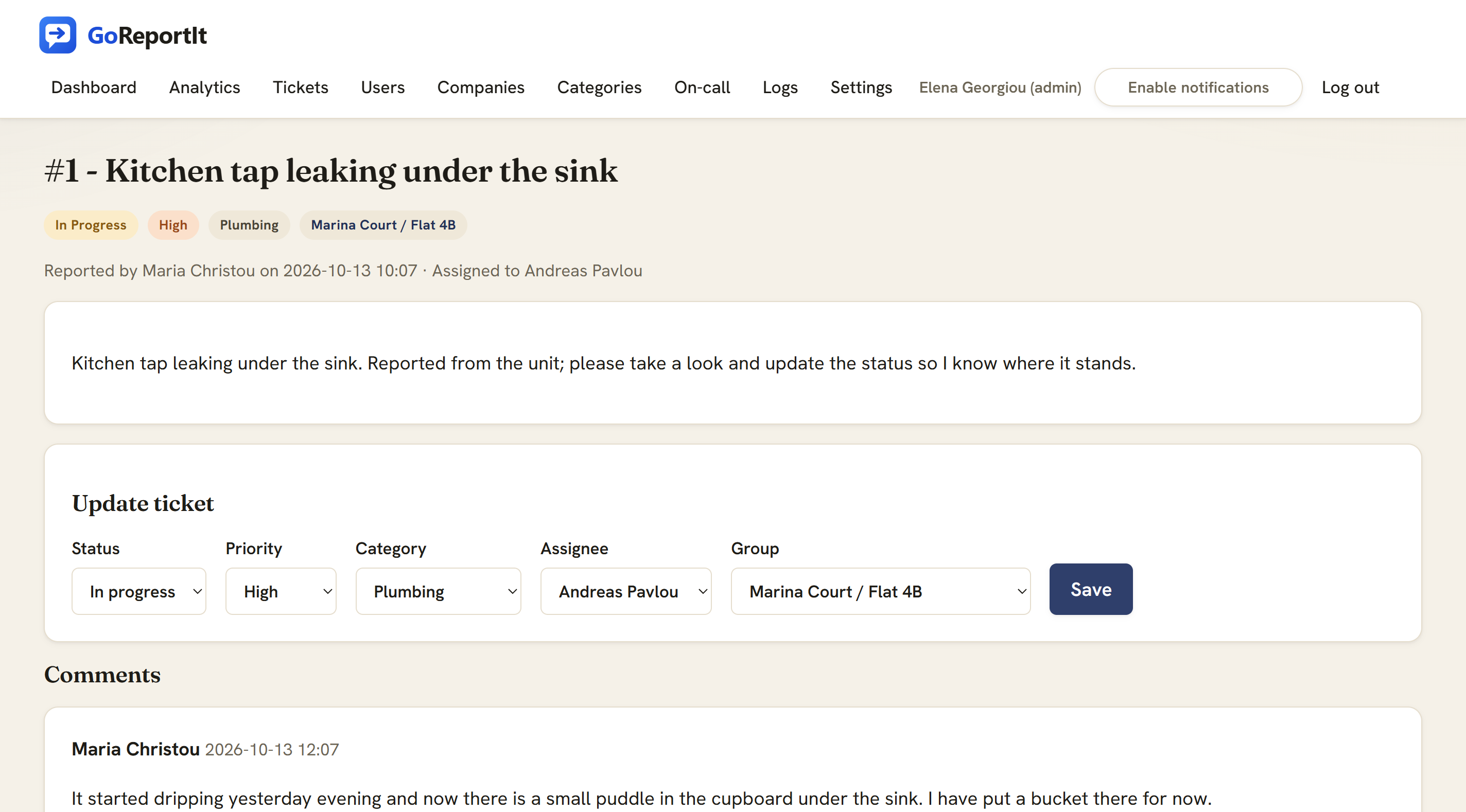
A full, dated history on every repair
Each request keeps the whole story on one page: the photos, the conversation, who it is assigned to, and a dated record of every change. Filter the queue by building or unit, and when the same boiler fails a third time or a repair is ever disputed, there is a record to point to instead of trying to remember.
Everything you need, in property terms
Nothing to learn that does not already match how you run buildings.
Issue types
Sort every request by what it is: plumbing, electrical, lift, common areas. Route each type to whoever handles it.
Buildings and units
Set up each building, with its flats or units inside. Every request is tagged with exactly where it came from.
Tenant portal
Tenants report issues and watch their status in their own browser. They only ever see what they reported themselves.
Photos of the problem
A picture of the broken tap or the damp wall is attached to the request, so your handyman arrives knowing what to bring.
Full repair history
Every repair keeps a complete, timestamped record of what was reported and how it was fixed, and you can filter the queue by building or unit. Useful when a repair is ever in dispute.
Automatic updates
Email keeps tenants and staff informed as a request moves along, so nobody has to chase and nobody has to remember to reply.
Simple pricing, and tenants are free
One-week free trial. Card required, nothing charged until it ends. Cancel any time.
- Tenants never count as seats, and there is no limit on how many you have
- You pay only for staff who work the queue: a manager, a handyman, a contractor
- Unlimited buildings, units, requests, photos and history
- Worked example: a 40-flat building with one manager and one handyman is two seats, so €20 a month
Who it is for
Building administrators
One place to take and track every request across the buildings you look after.
Property management companies
A shared queue for your whole team, with each client building kept separate.
Landlords with several units
Give tenants a proper way to report problems instead of texting you directly.
Short-let hosts
Catch and fix issues between guests, with a photo and a record for every unit.
Frequently asked questions
Do tenants pay anything?
No. Tenants and residents report issues for free, with no limit on how many you have. You only pay for the staff who work the repairs, at EUR 10 per person per month.
Do tenants need an account?
Each tenant gets a free account so they can see the status of what they reported. An administrator invites them by email, or you log a request on their behalf when they call.
Can I manage several buildings from one place?
Yes. Each building is its own space with its units inside it, and every request is tagged with its building and unit. Filter the queue by building, so one manager can cover a whole portfolio.
How long does setup take?
About an afternoon. Create your buildings and units, add your issue types, invite your maintenance staff, and start taking requests the same day. There is nothing to install and nothing for tenants to download.
Put every repair in one place
Set up your first building this afternoon and let tenants start reporting. One week free, tenants always free.